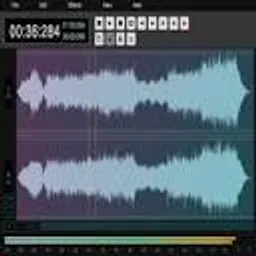
Edit audio directly in your browser without installing any software.
Make changes to audio and hear them instantly with live preview options.
Apply various effects like EQ, reverb, delay, compression, and noise reduction.
Import and export audio in formats such as MP3, WAV, OGG, and more.
Use a visual timeline to cut, copy, paste, and arrange audio clips easily.
Start editing immediately without creating an account or signing up.
The code is publicly available, allowing for community contributions and transparency.
Edit podcast recordings by removing pauses, adding intros/outros, and applying noise reduction for clear audio.
Compose and mix music tracks with effects, layering, and mastering tools for amateur or professional projects.
Create sound effects for games, videos, or animations by manipulating audio samples and applying effects.
Clean up old or noisy audio recordings to improve clarity and remove background noise.
Record and edit voiceovers for presentations, advertisements, or audiobooks with trimming and enhancement.
Teach audio editing concepts in classrooms or online courses using a free, accessible tool.
Edit audio for personal videos, slideshows, or family memories with easy-to-use features.
Cut and trim audio files for ringtones, clips, or social media content quickly.
Balance and enhance audio tracks for final production, including EQ adjustments and leveling.
Use in real-time for live streams, events, or quick edits during broadcasts.
Sign in to leave a review
Adobe Podcast is an innovative, AI-powered web application developed by Adobe to revolutionize audio quality enhancement for podcasters, content creators, and professionals. It leverages cutting-edge machine learning algorithms to automatically reduce background noise, eliminate echoes, and enhance speech clarity, delivering studio-grade audio with minimal effort. The tool features an intuitive, browser-based interface that allows users to upload audio files, apply enhancements, and export polished results quickly. Integrated with Adobe Creative Cloud, it supports seamless workflows for editing and production. Aimed at democratizing high-quality audio, Adobe Podcast is suitable for beginners seeking easy solutions and experts requiring advanced control, offering both free and premium tiers to cater to diverse needs, making it a versatile tool for improving audio in podcasts, interviews, videos, and more.
AI Audio Cleaner by Uniconverter is a sophisticated tool integrated into the Wondershare Uniconverter software suite, designed to enhance audio quality through artificial intelligence. It specializes in automatically detecting and eliminating various background noises such as hums, clicks, wind, and static, while preserving the clarity of the primary audio content. Utilizing advanced machine learning algorithms, this tool is ideal for content creators, podcasters, videographers, and professionals who require clean audio for their projects. It supports a wide range of audio formats including MP3, WAV, AAC, and FLAC, and offers batch processing capabilities for efficient handling of multiple files. The user-friendly interface allows for easy adjustment of settings, real-time previews, and seamless integration with other Uniconverter features for a comprehensive media workflow. With continuous updates to its AI models, it provides reliable and high-quality audio enhancement, making it a valuable asset for audio post-production and everyday use.
Audacity is a free, open-source audio editing software developed by the Audacity Team, widely recognized for its robust features and accessibility. The Noise Reducer is a key built-in effect within Audacity, designed to remove unwanted background noise from audio recordings, such as hums, hisses, or ambient sounds. It utilizes advanced algorithms to analyze audio samples and apply noise reduction filters, making it ideal for cleaning up podcasts, music tracks, interviews, and voiceovers. Audacity supports multiple platforms including Windows, macOS, and Linux, and offers a user-friendly interface with tools for recording, editing, mixing, and exporting audio in various formats. Its open-source nature encourages community contributions and regular updates, ensuring reliability and compatibility with modern audio standards. The software is particularly valued by hobbyists, educators, and professionals for its cost-effectiveness and powerful capabilities, enabling high-quality audio production without financial investment.