TVPaint Animation
The digital solution for your professional 2D animation projects.
Creativity
Paid
From $750
2D Animation
Storyboarding
Character Design
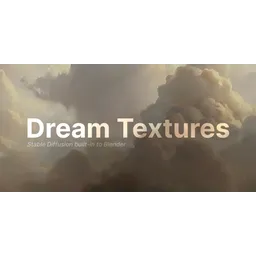
Stable Diffusion built-in to Blender for creating textures, concept art, and more from text prompts.

Dream Textures is a Blender add-on that integrates Stable Diffusion directly into the Blender workflow, allowing users to generate textures, concept art, and background assets using simple text prompts. The add-on leverages local machine processing, offering iteration without slowdowns. It supports texture projection onto entire models using depth to image techniques, seamless texture creation for tiling, and animation re-styling via Cycles render pass. Dream Textures also includes AI upscaling features to enhance low-resolution generations. The node system enables complex effects within Blender's rendering environment. It supports CUDA and Apple Silicon GPUs, making it accessible to a wide range of users. Users can export and import history entries for later use. For users with unsupported hardware, Dream Textures offers cloud processing options through integration with services like DreamStudio.
Dream Textures is a Blender add-on that integrates Stable Diffusion directly into the Blender workflow, allowing users to generate textures, concept art, and background assets using simple text prompts.
Explore all tools that specialize in text-to-texture. This domain focus ensures Dream Textures delivers optimized results for this specific requirement.
Generates textures that tile perfectly without visible seams, using specialized algorithms to ensure smooth transitions.
Projects generated textures onto 3D models using depth information, allowing for realistic and context-aware texturing.
Upscales low-resolution generated images by 4x using advanced AI algorithms, enhancing detail and clarity.
Allows re-styling of animations using Cycles render pass, enabling consistent artistic styles throughout animated sequences.
Features inpainting to fix image imperfections and outpainting to expand images beyond their original boundaries.
Download the latest release of Dream Textures add-on.
Install the add-on through Blender's preferences (Edit > Preferences > Add-ons > Install).
Enable the Dream Textures add-on in Blender.
Configure the Stable Diffusion backend in the add-on settings.
Ensure the required dependencies, such as PyTorch, are installed and configured correctly.
Open the Dream Textures panel in the Blender interface.
Enter a text prompt to generate the desired texture or image.
Adjust the configuration options (e.g., image size, sampling method) to fine-tune the generation.
Execute the image generation process and view the result in Blender's viewport.
All Set
Ready to go
Verified feedback from other users.
"Users praise the tool's ease of use and powerful text-to-image capabilities within Blender, but some report occasional performance issues on less powerful hardware."
Post questions, share tips, and help other users.
The digital solution for your professional 2D animation projects.
Empowering independent artists with digital music distribution, publishing administration, and promotional tools.

Convert creative micro-blogs into high-performance web presences using generative AI and Automattic's core infrastructure.

Fashion design technology software and machinery for apparel product development.

Instantly turns any text to natural sounding speech for listening online or generating downloadable audio.

Professional studio-quality AI headshot generator for individuals and teams.