
Sourcify
Effortlessly find and manage open-source dependencies for your projects.
Development
Freemium
From $99/mo
Smart Contract Verification
Dependency Management
Security Auditing
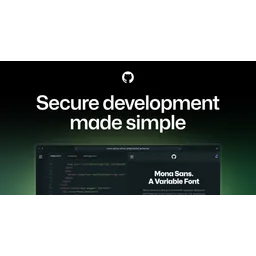
Secure development made simple with fully configured, cloud-based development environments native to GitHub.

GitHub Codespaces provides cloud-based development environments directly integrated with GitHub repositories. It enables developers to start coding instantly from any device with a browser or IDE, eliminating the need for complex local setups. Codespaces uses dev container files to define repeatable and configurable environments as code, ensuring consistency across teams. It supports various VM-based compute options, from 2 to 32 core machines, and offers features like browser preview and port forwarding for collaboration. Organizations can control access and permissions, while individual developers benefit from free usage quotas. Codespaces integrates seamlessly with GitHub Advanced Security, offering automated security scanning and dependency management. It supports popular IDEs like Visual Studio Code, IntelliJ, and JupyterLab, enhancing developer productivity and onboarding speed.
GitHub Codespaces provides cloud-based development environments directly integrated with GitHub repositories.
Explore all tools that specialize in remote debugging. This domain focus ensures GitHub Codespaces delivers optimized results for this specific requirement.
Configure development environments using dev container files, defining dependencies, tools, and settings as code for consistent and repeatable environments.
Share running applications and services within the codespace with teammates via port forwarding, enabling collaborative development and testing.
Natively integrates with GitHub Advanced Security to perform automated code, secret, and dependency scanning, identifying vulnerabilities early in the development lifecycle.
Allows users to configure the codespace with various VM-based compute options ranging from 2 core to 32 core machines to match project requirements.
Enables users to customize their environment with their own dotfiles repository, allowing for personalized settings and configurations.
1. Create a GitHub account or sign in to an existing one.
2. Navigate to a repository or pull request on GitHub.
3. Click the 'Code' button and select 'Open with Codespaces'.
4. Configure dev container files for custom environment settings (optional).
5. Choose desired compute options (CPU cores, RAM) for the codespace.
6. Connect to the codespace via browser or local IDE (Visual Studio Code, IntelliJ).
7. Start coding, building, and testing within the pre-configured environment.
All Set
Ready to go
Verified feedback from other users.
"Users praise GitHub Codespaces for its ease of use, seamless integration with GitHub, and the ability to code from anywhere."
Post questions, share tips, and help other users.
Effortlessly find and manage open-source dependencies for your projects.
End-to-end typesafe APIs made easy.

Page speed monitoring with Lighthouse, focusing on user experience metrics and data visualization.

Topcoder is a pioneer in crowdsourcing, connecting businesses with a global talent network to solve technical challenges.

Explore millions of Discord Bots and Discord Apps.

Build internal tools 10x faster with an open-source low-code platform.

Open-source RAG evaluation tool for assessing accuracy, context quality, and latency of RAG systems.
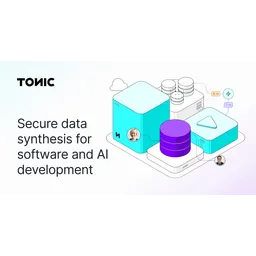
AI-powered synthetic data generation for software and AI development, ensuring compliance and accelerating engineering velocity.