RoomSketcher
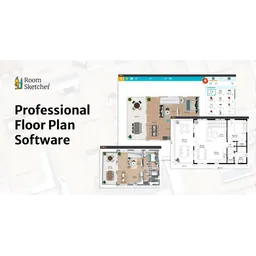
Create accurate floor plans quickly and easily.
15d ago
Best for General AI
PricingFreemium
Freemium
Floor Plan Creation
3D Visualization
Space Planning

Free interior design application for drawing house plans in 2D and 3D.
Free interior design application for drawing house plans in 2D and 3D.
Sweet Home 3D is a free, open-source interior design application that assists users in drawing house plans, arranging furniture, and visualizing the results in 3D. It operates on Java, ensuring cross-platform compatibility across Windows, macOS, Linux, and other systems supporting Java. Users can import floor plans, trace walls, drag and drop furniture from an extensive library, and customize colors, textures, and object sizes. The software calculates 3D views from the 2D plan, enabling users to generate photorealistic images and videos. Sweet Home 3D also supports plugins for extending functionality, such as importing 3D models from various online repositories. Its core architecture focuses on ease of use for home users and hobbyists, providing an accessible entry point into interior design without professional CAD software's complexity.
Free interior design application for drawing house plans in 2D and 3D.
Quick visual proof for Sweet Home 3D. Helps non-technical users understand the interface faster.

Sweet Home 3D is a free, open-source interior design application that assists users in drawing house plans, arranging furniture, and visualizing the results in 3D.
Explore all tools that specialize in 3d visualization. This domain focus ensures Sweet Home 3D delivers optimized results for this specific requirement.
Open side-by-side comparison first, then move to deeper alternatives guidance.
Extensive built-in library of 3D models for furniture and household items. Users can also import models from external sources in various formats.
Generates high-quality images and videos of the 3D design with adjustable lighting and camera settings. Employs ray tracing algorithms for accurate light reflection.
Ability to import existing floor plans in image formats (JPEG, PNG, etc.) to use as a base for drawing walls and arranging furniture. Supports scaling and alignment.
Supports plugins for extending functionality, such as importing 3D models from online repositories like Blender or SketchUp's 3D Warehouse.
Allows adding annotations, dimensions, and labels to the 2D plan for documentation and communication. Supports various units of measurement.
Download and install Sweet Home 3D from the official website.
Import an existing floor plan image or start with a blank canvas.
Use the wall creation tool to draw interior and exterior walls.
Drag and drop furniture from the furniture library onto the plan.
Customize furniture properties like color, size, and texture.
Generate a 3D view to visualize the design.
Adjust lighting and camera angles for optimal rendering.
Export the design as an image, video, or 3D model.
All Set
Ready to go
Verified feedback from other users.
“Users appreciate the software's ease of use and extensive features, particularly its furniture library and 3D visualization capabilities.”
No reviews yet. Be the first to rate this tool.
Create accurate floor plans quickly and easily.

The intelligent homebuilding platform for automated design, sales, and construction.

The channel sales engine for complex products, enabling visualization and configuration from web to dealer to quote.

Uncover and optimize your SaaS investment.

A powerful shell designed for interactive use and scripting.

Zopto was a LinkedIn automation tool designed to generate leads, but it is now defunct.