GitHub Gist
Instantly share code, notes, and snippets publicly or privately.

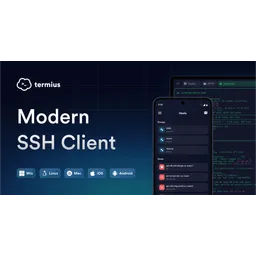
Modern SSH client built for productivity and collaboration.

Termius is a cross-platform SSH client designed to streamline remote server management. It features an IDE-style autocomplete for commands, arguments, and file paths, enabling faster and more accurate command execution. The platform provides secure synchronization via an encrypted vault, allowing users to store and manage credentials, snippets, and configurations across multiple devices. Termius supports SSH, Mosh, and Telnet protocols, offering flexibility in connecting to various server types. Its group management capabilities enable administrators to organize hosts, simplifying access control and configuration. SFTP support facilitates file transfers between hosts and clients. Termius offers both free and paid plans, catering to individual users and teams, with enterprise features including SAML SSO and SOC2 compliance.
Termius is a cross-platform SSH client designed to streamline remote server management.
Explore all tools that specialize in secure shell access. This domain focus ensures Termius delivers optimized results for this specific requirement.
Provides context-aware suggestions for commands, arguments, and file paths based on the current shell and system environment. It uses a combination of local command history, system binaries, and user-defined snippets to improve command input speed and accuracy.
Securely stores credentials, snippets, and host configurations using AES-256 encryption. The vault synchronizes data across all connected devices, ensuring consistent access to critical information.
Enables multiple team members to share and manage SSH configurations, credentials, and snippets through a centralized team vault. It provides real-time collaboration features, such as shared terminal sessions and access control.
Allows users to save and reuse frequently used command sequences. Snippets can include variables and placeholders for dynamic customization. They can be executed with a single click or keystroke.
Enables secure tunneling of connections through SSH tunnels. Supports local, remote, and dynamic port forwarding.
Download and install Termius client for your operating system (macOS, Windows, Linux, iOS, or Android).
Create a Termius account to enable secure synchronization and vault features.
Configure your first host by entering its IP address, port, and credentials (username/password or SSH key).
Organize hosts into groups for easier management and access control.
Utilize the snippet feature to save and reuse frequently used command sequences.
Set up vault and team sharing if using the team plan
Enable port forwarding for tunneling connections through secure channels.
Explore the settings menu to customize terminal appearance, behavior, and hotkeys.
Integrate automation snippets for repeated tasks
All Set
Ready to go
Verified feedback from other users.
"Termius is generally well-regarded for its sleek interface, cross-platform support, and useful features like snippets and encrypted vault."
Post questions, share tips, and help other users.

Instantly share code, notes, and snippets publicly or privately.

The mission-critical terminal emulator for macOS power users and modern developers.

The ultimate all-in-one terminal for Android with SSH, Mosh, and Telnet support.

The premier open-source Secure Shell (SSH) client for mobile infrastructure management.

AI-powered code understanding and documentation to supercharge engineering workflows.

A Visual Studio extension for .NET developers.